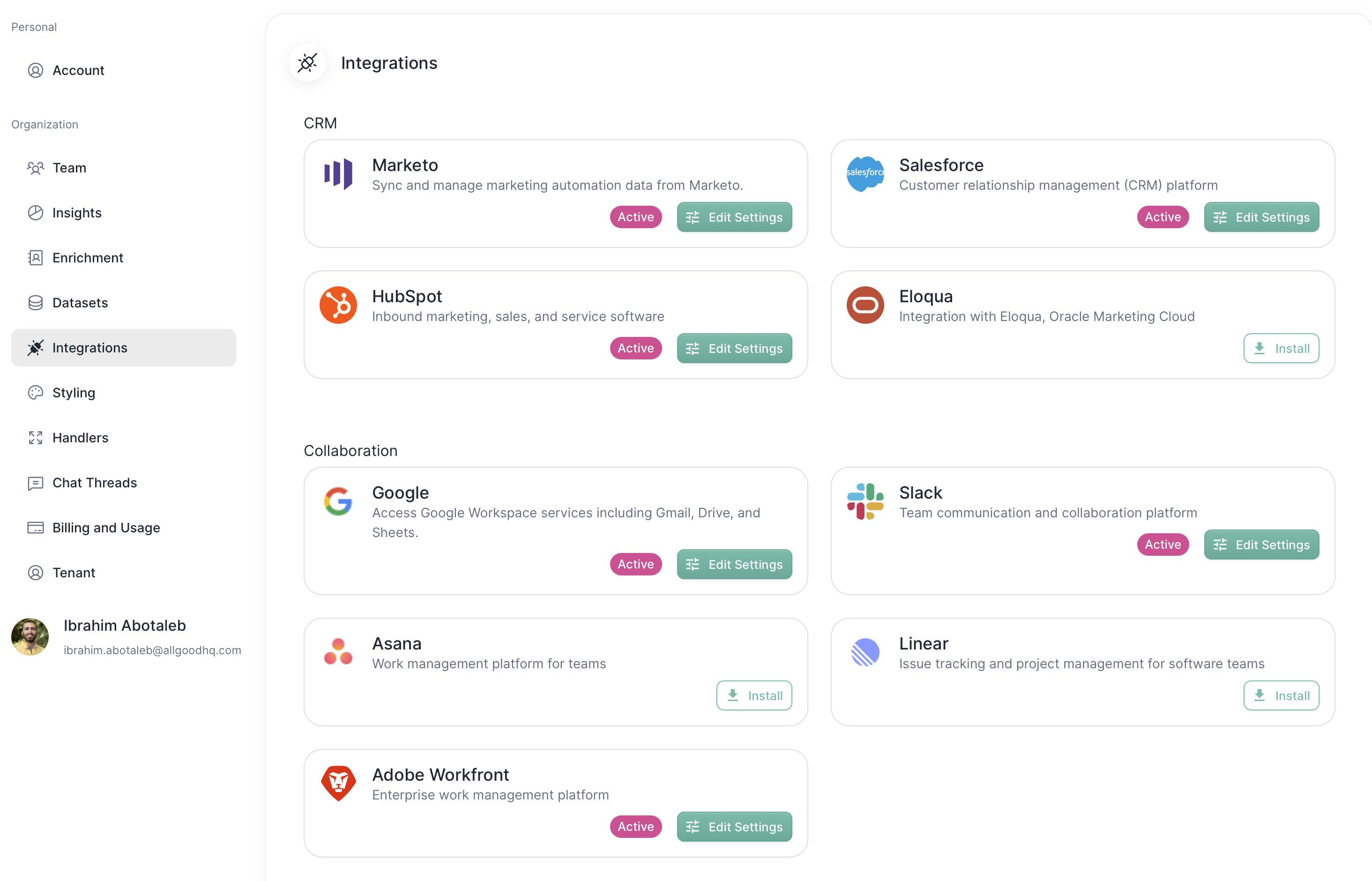
INTEGRATIONS

Google Drive + allGood

Have Mary read documents straight from Google Drive for easy automations.

What is Google Drive?

Google Drive provides a secure platform for storing, sharing, and collaborating on files and folders across various devices, including mobile phones, tablets, and computers.

Why Google Drive + allGood?

Avoid version conflicts, missed feedback, and scattered files. The Google Drive + allGood integration keeps your team aligned and your workflows organized, so you can focus on getting work done instead of managing documents.

With Google Drive + allGood, you can:

  • Easily access and link Google Drive files to tasks in allGood
  • Preview file contents in allGood
  • Process file depends on the use case.
    • List upload with Google Sheets: Clean data and update the sheet.
    • Email build with Google Docs: Process document and build emails.
    • Summarize your tasks and create content in Google Slides.

How to connect Google Drive + allGood

Here’s how to set up the integration:

  1. Log into allGood, and go to the Settings page
  2. Select the Integrations tab
  3. Scroll down to the Google connection in the “Collaboration” section
  4. Follow the on-screen instructions to sign in to Google Drive
  5. Once you’ve signed in, you’ll be able to search or link existing files to allGood tasks to receive comment notifications in your Inbox